Ten steps, one continuous flow. Each stage feeds the next automatically — nothing to re-enter, nothing to reconcile by hand.
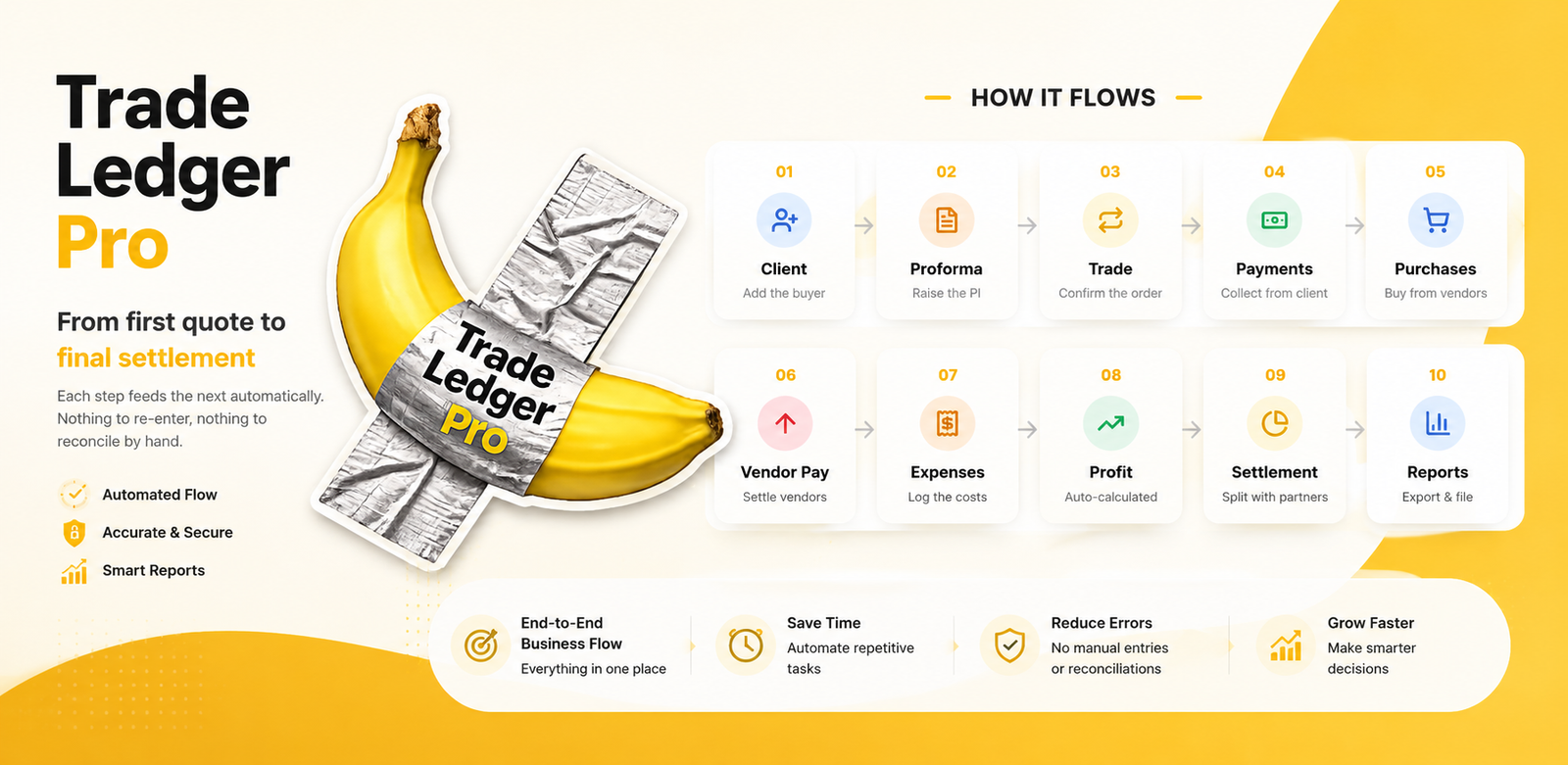
Add the buyer to your contact book — details, terms and history live in one place.
Raise a professional PI. When it's accepted, convert it into a trade in one tap.
The order is confirmed. Everything from here links back to this single trade.
Record full, partial or advance payments. Receivables update the moment you save.
Log what you buy to fulfil the trade. Cost feeds straight into the margin.
Settle your suppliers. Payables always show the real, current position.
Add trade and business costs so profit is the true, net figure — not gross.
Sales − purchases − expenses, calculated automatically for the trade and overall.
Apply each partner's percentage; advances and overpayments adjust by themselves.
Export GST-ready Sales, Purchase, Outstanding, Profit and Partner Share reports.
A payment recorded at step 4 updates receivables, profit and reports downstream — automatically.
Because every step links to the trade, the numbers can't drift apart the way spreadsheets do.
When the flow is live all month, closing the books is a glance, not a marathon.
Record your first trade and watch the numbers move themselves. Free to get started.
Free to start · No card required · Works on Android